
Website redesign
Website traffic but no leads? How to find the cause
The quick answer
For website traffic but no leads, run four checks in this order: whether enquiries reach you, whether your analytics counts them, whether the visitors are people who want your service and what on the page stops the right visitors from enquiring. Start with a test enquiry of your own.

On this page
Key takeaways
- Send a test enquiry through every form, button and link before you change anything on the page.
- In Google Analytics a key event counts an action that matters to your business. Marking one doesn't change historic data.
- Search Console impressions count how often your site appeared in Google results, which is different from visits or enquiries.
- Compare the enquiries in your inbox with what your analytics reports before deciding the website is underperforming.
- Kavera's conversion reviews look for unclear messaging, buried examples, mobile friction, weak calls to action and confusing enquiry paths.
Website traffic but no leads means the visitor numbers look healthy while the phone and inbox stay quiet. The fix depends on where the leak is, so a new headline or a rebuild made before you find it can fix the wrong thing.
This guide walks through those checks so you can run them yourself. Most need no special tools beyond your phone, your inbox, Google Analytics and Search Console. If you would rather hand the job over, our website conversion optimisation service is a structured audit followed by a targeted design pass on the sections that need it.
Why is my website getting traffic but no leads?
There are four common causes and each needs a different fix, so find out which it is before you change anything.
Scroll across to read every column
| What you see | What to check first | Where to look |
|---|---|---|
| Visits but no form submissions at all | Whether the form, email link and booking link work | A test enquiry from a phone and a desktop |
| Enquiries in your inbox but none in analytics | Whether the enquiry is set up as a key event | Google Analytics admin |
| Plenty of visits from searches unrelated to what you sell | Which queries and pages bring the traffic | Search Console, by page and query |
| The right visitors arrive and leave without enquiring | Message, examples, buttons and mobile layout | The landing pages those visitors open |
Step 1: Is your enquiry path actually working?
Send yourself a test enquiry through every route a customer can use. That means each form, each email link, each booking button and the phone number. Label the test clearly so nobody on your team replies to it as a real customer.
Do it on a phone as well as a desktop, because a form that works on a laptop can still fail on a small screen. For each test, note whether you saw a confirmation, whether the message arrived and how long it took. Check the spam folder and any shared inbox the form sends to. If a booking tool or CRM sits behind the form, confirm the enquiry landed there too.
Keep in mind that a tap on a phone button and a received call are different things. Count calls from your phone log rather than from button taps in your analytics.
If a test never arrives or arrives in the wrong place, tell whoever built or hosts your website which route failed and on which device, so they can fix the form or its routing before you change anything else.
Step 2: Is your analytics counting enquiries?
In Google Analytics a key event is an event that measures an action that's particularly important to the success of your business, such as a submitted enquiry.1 If no event is marked as a key event, your reports can show zero enquiries while real ones arrive in your inbox.
To mark an existing event, open Admin in Google Analytics and click Events under Data display. In the Recent events tab, find the event your form sends and click the star icon next to it.2 If you can't tell which event belongs to your form, ask whoever built your website which event it sends. If your form sends no event at all, ask whoever built your website to set one up, because Google Analytics needs an event that measures the enquiry before it can count it as a key event.2
Marking an event as a key event affects reports from the time you create it and it doesn't change historic data.2 Once the event is marked, compare the enquiries your analytics counts from that date with the enquiries that reached your inbox or booking system in the same period. If the two numbers differ after that, ask whoever built or hosts your website to fix the tracking before you judge the website. Until it is fixed, count enquiries from your inbox.
Step 3: Are the right people visiting?
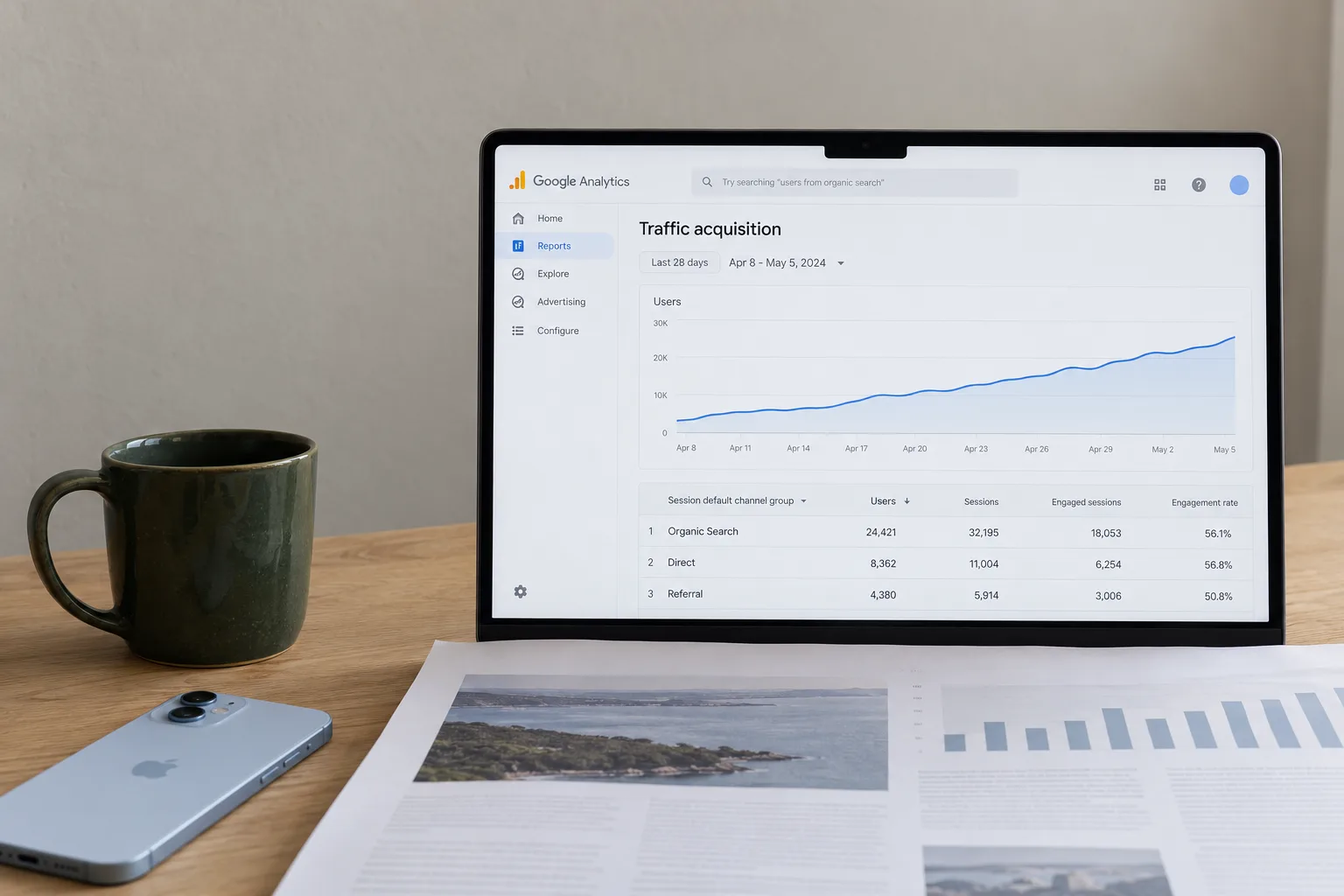
Check whether your visitors want what you sell, in the area you serve. Search Console shows you which searches bring people to each page, so start there to see whether your visitors match your service. If you have not set up Search Console, ask whoever built or manages your site to add it before this step. Its Performance report shows how your site performs in Google Search results,4 so it only covers visits from Google search. For visits from ads, social media, email or people typing your address, open Reports in Google Analytics and choose Acquisition, then Traffic acquisition, which shows where your visitors are coming from.3
In Search Console, impressions are how many times your site appeared in Search results.4 Clicks are the number of times someone clicked through to your site from those results.4 Neither tells you whether anyone enquired. Open the Performance report and select the Pages tab above the table.4 Click the landing page's row to filter the data by that page,5 then open the Queries tab to see the searches that bring people to it. If a plumbing page earns most of its clicks from people searching for DIY instructions, treat that as a sign the traffic doesn't match the service and make the page say which service and suburbs you cover. If the page earns clicks for the service and suburb you work in, move on to the page itself in step 4.
Step 4: What stops the right visitors from enquiring?
When the enquiry path works, the tracking counts it and the visitors match your service, look at the page itself next. Our conversion reviews look for unclear messaging, missing or buried examples, mobile friction, weak calls to action or a confusing enquiry path. Each one has a fix you can try.
Unclear message
A visitor should be able to tell quickly what you do, who it is for and where you work. Read your headline as a stranger would. If it could describe any business, rewrite it around the service and the customer.
Buried examples
Photos of real jobs, project pages and process detail build confidence. If they sit at the bottom of the page or on a separate page nobody opens, move the strongest one up.
Mobile friction
Open the page on your own phone. Look for cramped text, buttons too small to tap and sections that load slowly.
Weak calls to action
A button reading "Submit" or "Learn more" gives the visitor little reason to press it. Say what happens next, such as "Request a quote".
A confusing enquiry path
Count the fields in your form and remove any you don't need before the first conversation.
For the wording itself, our guide to website copywriting covers how to write a service page that answers the questions visitors arrive with.
Website traffic but no leads: fix the page or rebuild?
Start with fixes inside the existing design. A sharper headline, examples moved higher, clearer buttons and a shorter form can all be done without rebuilding the page.
A redesign is the right move when the underlying structure, technical foundation or visual system is the actual problem. A redesign of a small website, up to five pages, is our Launch Plus Website at $1,500 + GST. Larger redesigns use the package that fits their page count, all on our pricing page. For a full rebuild, see our website redesign service. Our redesign checklist lists the search and enquiry checks to run before a rebuild.
If you've run the four checks and still can't see the leak, send us your website through our website conversion optimisation page. The review covers positioning, page structure, mobile layout and the enquiry path, then applies targeted fixes to the sections that need them. It is quoted after a look at your website, so you know the fee before any work starts.
Good questions
Common questions Clear answers
Why is my website getting traffic but no leads?
Start by checking that enquiries can reach you at all. A broken form, a mistyped email address or a booking link that fails on a phone looks exactly like a quiet website. If a test enquiry arrives, look at which pages people land on and what they searched for. Only then judge the message, examples and buttons on those pages.
How can I tell if my form is broken or my analytics is missing it?
Send a labelled test enquiry from a phone and a desktop, then check three places: the inbox or booking system it should reach, the confirmation the visitor sees and your analytics. If the inbox has it and analytics doesn't, check how your tracking is set up. If the inbox doesn't have it either, fix the form or its routing first.
Why am I getting website visits but no sales?
For an online store the same order applies, with the checkout in place of the enquiry form. Place a test order and confirm it arrives. Kavera's ecommerce conversion work looks at product page clarity, trust signals near the buy decision and checkout friction, alongside the message and mobile checks used on a service business website.
Do you need my analytics to find out why my website isn't getting leads?
No. A useful audit can start from a front-end review of message, structure, examples, mobile experience and enquiry paths alone. If you share Google Analytics, Search Console, CRM or form data, the same review becomes sharper. It can then show real drop-off points and the searches sending traffic to each landing page.
Should I redesign my website if it gets traffic but no leads?
Not straight away. Many causes sit inside the existing design: a vague headline, examples placed too low, unclear buttons or a long form. Fix those first. A redesign makes sense when the structure, technical foundation or visual system is the problem.
Sources
- About key eventsGoogle Analytics Help. Accessed .
- Mark events as key eventsGoogle Analytics Help. Accessed .
- [GA4] Traffic acquisition reportGoogle Analytics Help. Accessed .
- Performance report (Search results): Overview and basic setupSearch Console Help. Accessed .
- Performance report (Search results): Advanced filtering and comparisonSearch Console Help. Accessed .