

Website examples
Best hair and beauty salon website examples in Australia
The quick answer
The best salon websites explain the services, introduce the people and guide clients to the correct booking route. Our five Australian examples show telephone booking, external calendars and independent specialist selection. Choose a structure that fits how your salon operates, then keep treatment names, prices and appointment details consistent across the website and booking system.
On this page
Key takeaways
- All five featured salon websites are Kavera client work with live pages checked on 9 October 2026.
- David Owen starts appointments by telephone while three examples link directly to external booking providers.
- Front Row Beauty Bar directs visitors to choose an independent specialist before booking.
- Treatment menus and arrival information should match the salon's actual services and appointment process.
Good hair and beauty salon website examples show how a client gets from recognising a service to choosing the right appointment. That route changes with the business. A specialist who takes telephone bookings needs a different website from a collective of independent practitioners, each with a separate calendar.
We built the five Australian sites in this guide and reviewed them on 9 October 2026. They show how we approach beauty salon website design for different businesses, from a single treatment specialist to a collective with several booking calendars.
Which salon website examples suit your business model?
Choose by the way appointments are arranged. These five examples cover a treatment specialist, an independent-practitioner collective, a lash salon, an owner-operated beauty studio and a private home studio.
| Business | Location | Best for | Standout | Mobile score |
|---|---|---|---|---|
| David Owen | Highgate, SA | One main hair treatment | Pricing and preparation information before telephone booking | 62 |
| Front Row Beauty Bar | Pacific Pines, QLD | Independent specialists sharing a space | Practitioner selection before individual booking links | 61 |
| Fox & Hound Lashes | Cronulla, NSW | Lash and brow appointments | Treatment features with separate service categories | 79 |
| Beauty By the Sea | Sorell, TAS | An owner-operated beauty studio | Practitioner introduction beside treatment and studio information | 74 |
| Mel's Beauty Room | New Norfolk, TAS | A private home studio | Service prices and a view of the space | 75 |
Mobile speed scores are a snapshot from one test and can vary. See how we reviewed these websites.6
1. David Owen, Highgate
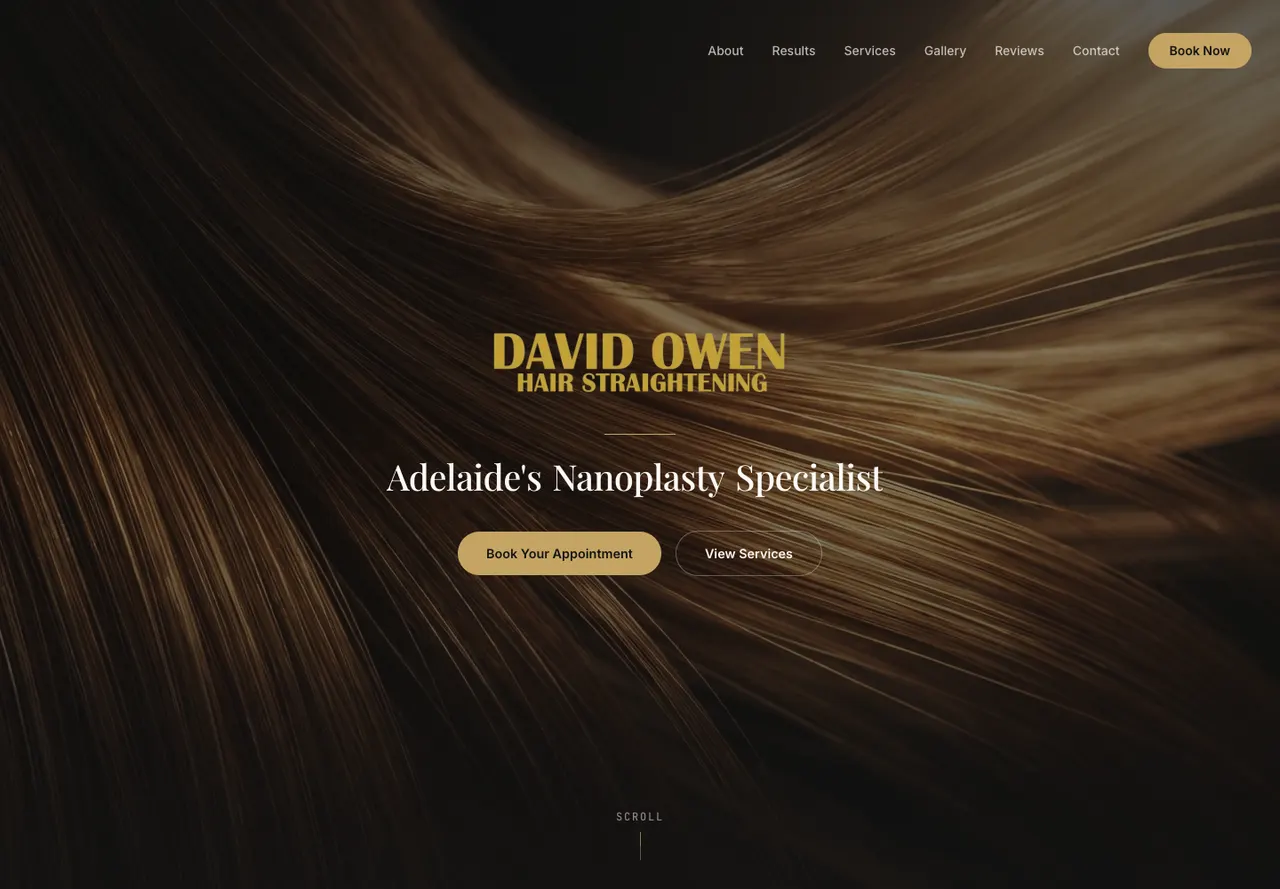
David Owen's site concentrates on nanoplasty hair straightening. It introduces the specialist treatment, explains the appointment process and presents pricing by hair length. A visitor can also read practical questions before using the telephone booking link.1
The mobile opening offers a services link and an appointment button that starts a phone call, giving the client a chance to discuss the treatment before choosing a time.
This approach suits a service where the client may need help choosing or discussing an appointment. The site gives that conversation a starting point: the treatment being considered, hair length and preparation information. A general hairdressing menu with dozens of equal-weight services would distract from this particular offer.
The design lesson is to make a specialist service understandable before adding more routes. Explain what the appointment involves, show relevant photographs with permission and put the practical booking action beside the information. Treatment suitability and result claims should come from the practitioner and be kept accurate.
The David Owen website case study shows how we brought treatment information, prices and telephone booking together.
2. Front Row Beauty Bar, Pacific Pines
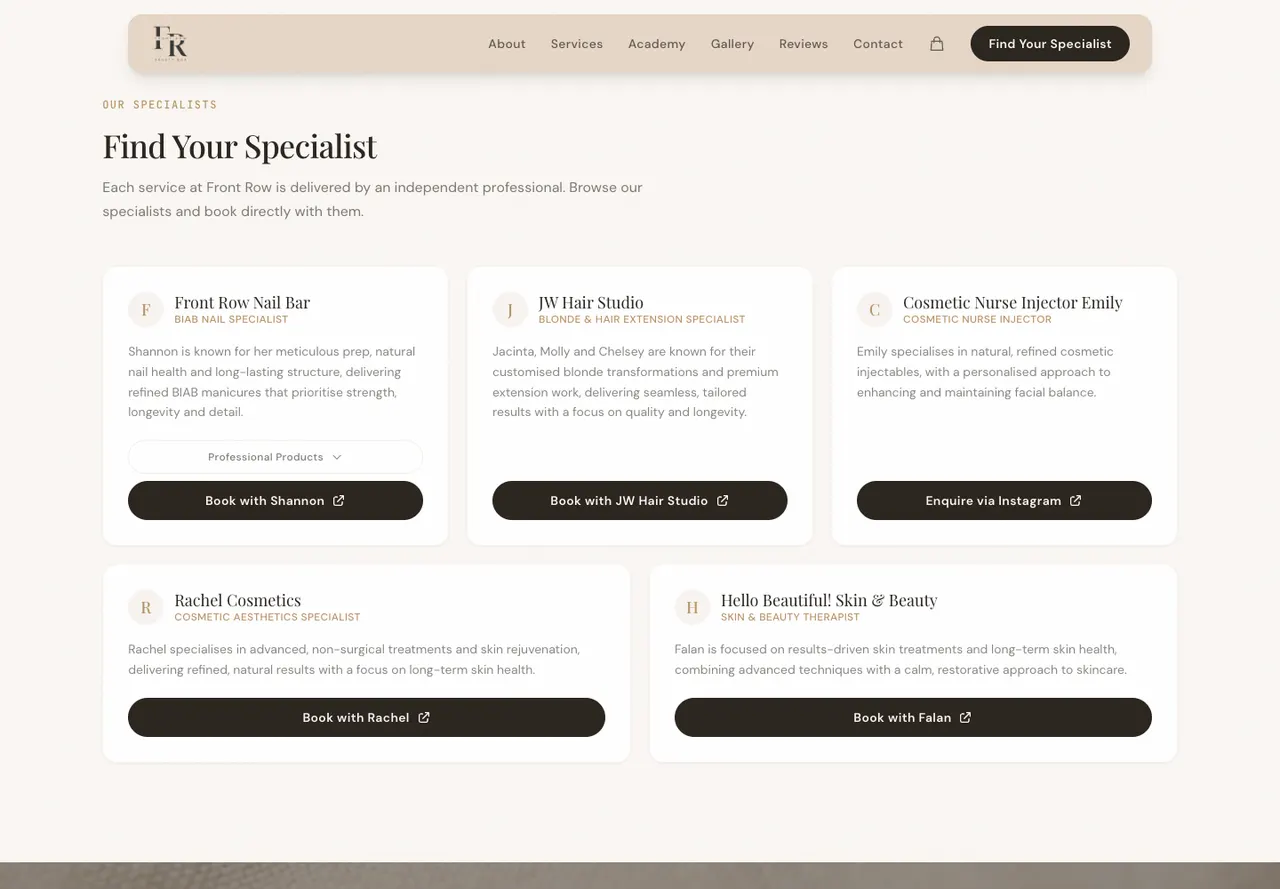
Front Row is a collective of independent beauty professionals. The homepage explains that arrangement and directs visitors to find the appropriate specialist. Individual profiles then provide booking routes for those businesses.2
That distinction needs to appear before a client reaches a calendar. Someone looking for a hair appointment should not assume the nail specialist manages every service in the building. The opening's booking action leads to the services section, where the client can choose.
The website also gives Front Row Academy a separate education route. A prospective nail student is making a different decision from someone booking a treatment. The academy can explain its program and enquiry step without crowding the salon's appointment information.
Use this pattern if several independent providers share your space. Give each practitioner an accurate service label, a short introduction and a destination they control. Review the links when a practitioner changes their booking provider or leaves the collective. A beautiful profile that sends the visitor to the wrong calendar creates a problem the design cannot resolve.
Our Front Row Beauty Bar case study explains how we separated the collective and academy content. The important choice is who the client is booking with, not how many booking buttons fit on the page.
3. Fox & Hound Lashes, Cronulla
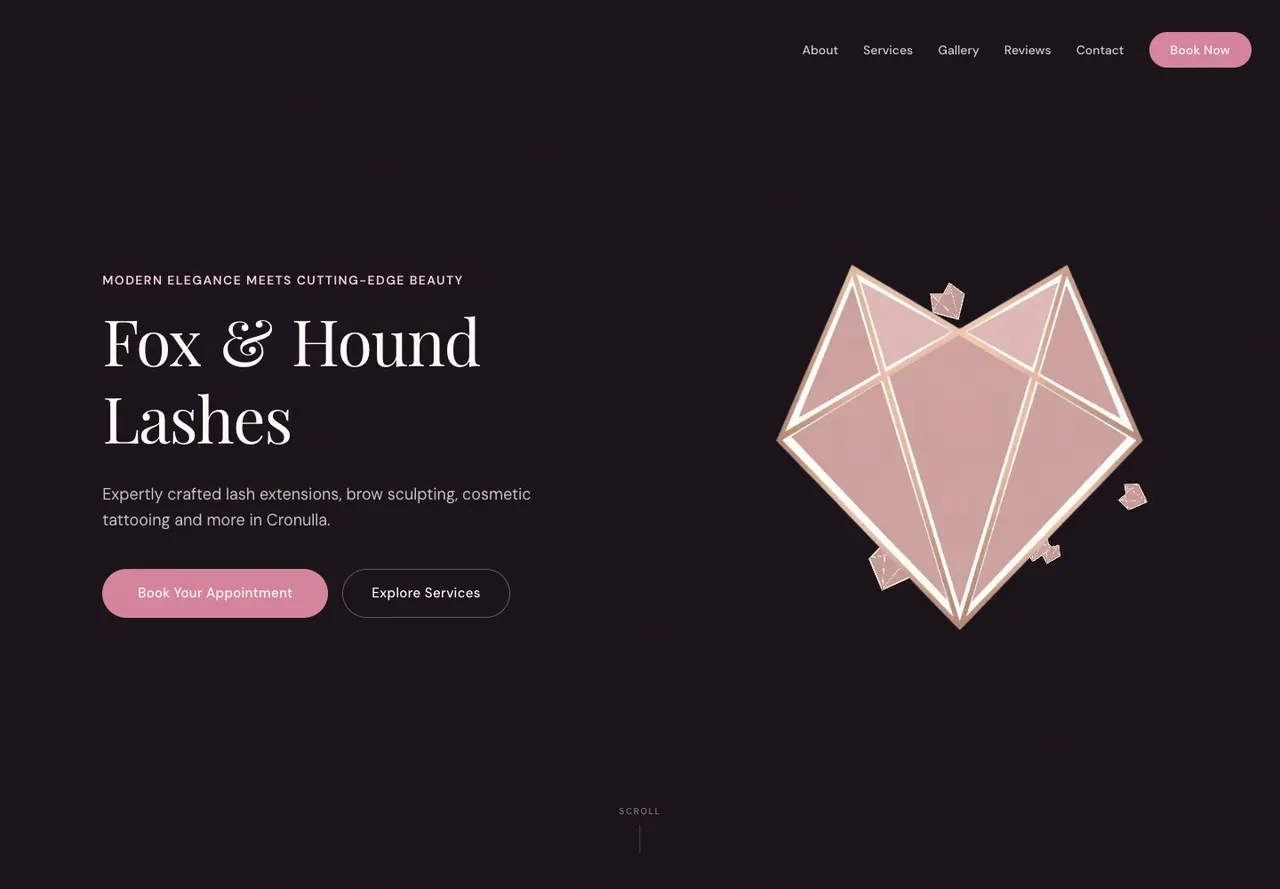
Fox & Hound separates lash extensions from infills and gives cosmetic tattooing, brow services and other treatments their own categories. The homepage also includes dedicated treatment features and a gallery. Appointment actions lead to Timely.3
This structure gives a returning lash client a recognisable path without forcing a first-time visitor to know every service name. Someone comparing a new set can inspect the treatment content. Someone arranging maintenance can find the infill category.
Gift cards have a separate route. Keep that distinction clear on a salon website: buying a voucher is a different task from booking a service. A gift purchaser may not know the treatment or appointment date the recipient will choose.
The useful borrowing is a service menu built around the client's decision. Use the terms your salon actually books under and explain any differences a new client may not know. Do not add a new treatment label for search traffic if the booking system uses a different service or the salon does not offer it.
4. Beauty By the Sea, Sorell
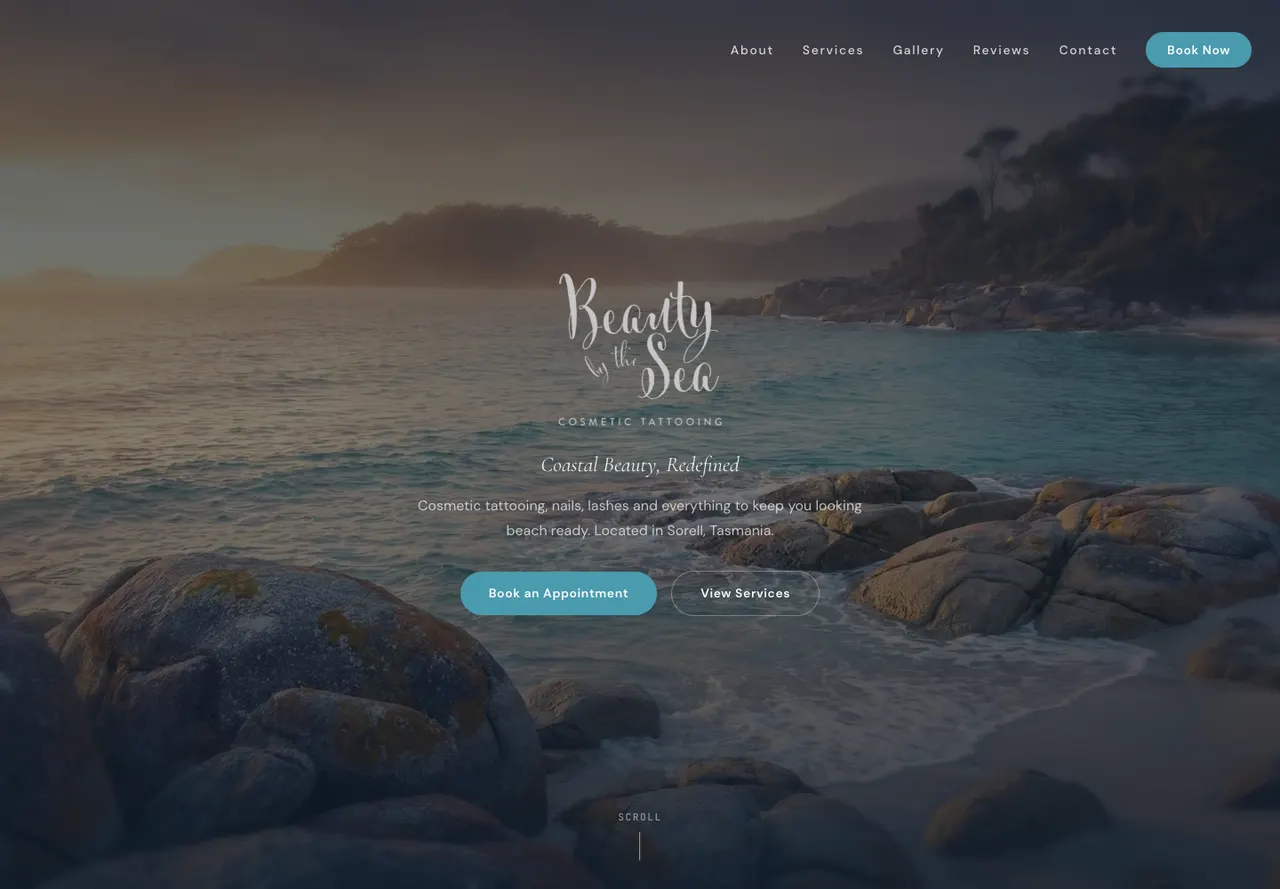
Beauty By the Sea introduces Mirinda alongside the studio, treatment menu and gallery. The service content separates cosmetic tattooing and microblading from lashes, nails, waxing and tanning. Appointment links lead to the existing Square booking page.4
For an owner-operated studio, knowing who a client will meet is part of understanding the business. A practitioner introduction and a real studio photograph give context that a treatment image alone cannot supply. Keep qualifications and service descriptions grounded in the practitioner's actual information.
The gallery is grouped by work type, including brows, lashes, nails and tan. That lets a visitor inspect the category they are considering without searching an undifferentiated social feed. Ask permission before publishing client images and label the work accurately.
The contact section brings the location and opening hours together. Those details help someone plan a visit after deciding on a service. A prominent booking link does not remove the need for a clear address and current hours.
5. Mel's Beauty Room, New Norfolk
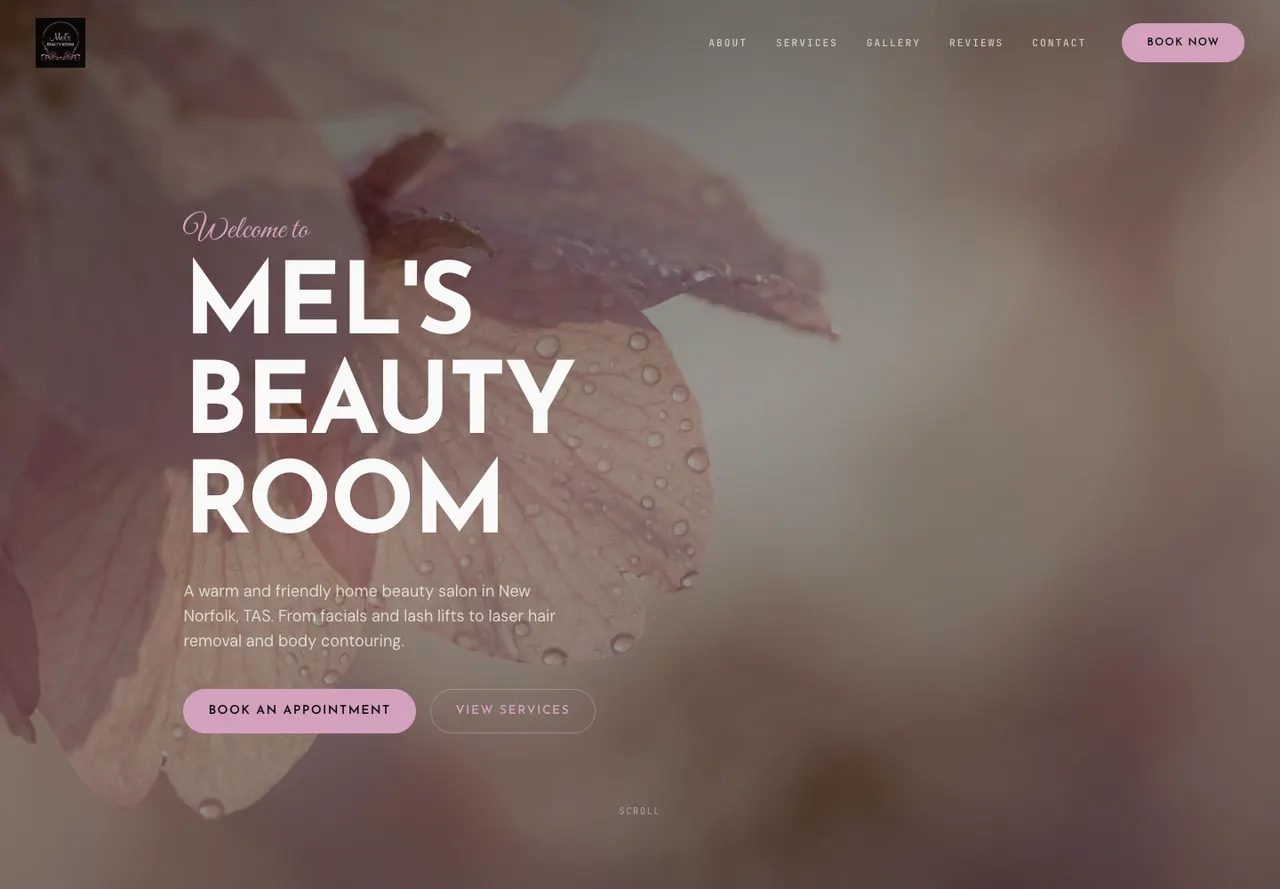
Mel's Beauty Room explains its private home-studio setting, presents a service list with prices and includes a salon-tour video. Its booking links point to Square.5
The setting is useful information for a first-time visitor. Photographs and the tour introduce the space before arrival. The website can answer practical questions about the appointment environment without relying on a general promise of a relaxing experience.
A priced service list also helps clients shortlist an appointment before opening the booking provider. Keep that list and the booking system aligned. If prices differ by treatment or duration, label the difference rather than showing a single ambiguous starting price.
The pattern to use is a combination of service clarity and arrival information. A private studio may need appointment-only wording and directions. A shopping-centre salon may need parking and entrance details. Write for the visit your client will actually make.
What happens when someone taps the booking button?
The destination should match the business model and the button's wording. In our first-screen captures, each of these five sites exposed a booking or appointment action but those actions did not all do the same thing.6
| Salon | First-screen action leads to | What the client needs to understand |
|---|---|---|
| David Owen | A telephone link | An appointment begins with a call |
| Front Row Beauty Bar | The on-page services section | Choose the independent specialist first |
| Fox & Hound Lashes | Timely | Appointment selection continues with the booking provider |
| Beauty By the Sea | Square | The salon uses an external appointment page |
| Mel's Beauty Room | Square | Services and availability continue in the booking system |
The Fox & Hound, Beauty By the Sea and Mel's Beauty Room case studies show how service information leads into each booking system.
Test the handoff on the device clients use. Check the destination business name, service list and whether the link still reaches the intended provider. A button click recorded in website analytics is a booking attempt or outbound click. A completed appointment needs confirmation from the booking system.
If the provider offers a deep link to a particular treatment, consider whether it saves a useful step. Preserve a general booking route for people who need to browse. Keep any consultation requirement explicit rather than directing every visitor straight to the most convenient calendar slot.
How should a salon organise its service menu?
Group services by the choices clients make, then explain distinctions that affect the appointment. The five examples use different structures because their offers differ.
David Owen can concentrate on one main treatment and use hair length to explain price differences. Fox & Hound needs to distinguish a new lash set from an infill. Front Row needs to separate practitioners. Mel's Beauty Room needs a broader priced menu. Copying the same menu layout across those businesses would hide useful information.
For a new service page, gather the treatment name, duration where known, price or pricing basis, consultation requirement and booking destination. Add preparation or aftercare information supplied by the practitioner when it helps the client. Keep changing operational details easy to update.
If a service needs a consultation, say so near the price and booking action. Avoid implying that everyone is suitable for the same treatment. The page should make the next conversation clearer rather than trying to make a treatment decision on the practitioner's behalf.
How much photography does a salon website need?
Use enough real imagery to show the space, people and relevant work. A smaller, organised set can answer more questions than a long feed of similar images.
Choose one opening image that remains understandable on a phone. Add a view of the studio or chair so first-time clients know what to expect. Use service photographs beside the matching description and distinguish client results from product or atmosphere images.
Before-and-after images need honest presentation. Keep labels, lighting and context clear and obtain permission. Do not use an edited image as evidence of a treatment result. If a service falls under health advertising rules, check the applicable requirements with the responsible practitioner before publishing claims or testimonials.
Compress images for the size they display. Our Lighthouse results varied even among sites with a clear booking route, which is why we check loading separately. Video can explain the space but should not prevent someone reading prices or reaching a booking link.7
What should you check before approving a salon website?
Walk through one appointment from the perspective of a new client. Read the service, choose the correct provider and inspect the booking destination. Stop before placing a real booking unless the business has arranged a test.
Check whether the website and booking platform use the same service names and prices. Then read the address, opening hours and arrival details on a phone. Look at the photographs at that width as well as on a large design presentation.
Ask who updates the website when a stylist leaves, a treatment changes or a price list is revised. A site for a collective needs a dependable owner for that task even when each practitioner manages their own bookings.
Keep one maintained service list for each practitioner with the treatment name, price basis, duration and booking destination. When a price or provider changes, update both the website and calendar, then follow the public link through again. The website copywriting guide explains how to make the provider and next action clear before the handoff.
Our beauty salon website design covers the broader build. For hair-focused businesses, hair salon website design explains service menus and stylist information. The website design cost guide helps separate the site build from recurring booking-platform and support costs.
How did we review these salon websites?
We reviewed each homepage on desktop and mobile on 9 October 2026, reading the service information and following the booking links. We stopped before making appointments. All five websites are Kavera client work.6
Booking links were checked on a 390 × 844 mobile screen; the images above show desktop views. We checked where the links lead, without comparing every service, price or appointment slot inside the booking providers. Each speed score comes from one mobile Lighthouse test and can vary between runs. This comparison shows design and booking choices, with no measured change in appointment numbers.
Common questions
What should a salon website include?
A salon website should explain the services, show accurate prices or pricing conditions and make the booking route easy to understand. Add the practitioner or team, real images of the space and work, location and current opening details. Check that treatment names and appointment requirements agree with the booking system clients will use.
Does a salon need its own online booking system?
A salon can link its website to an existing booking provider rather than build a new calendar. The important task is to send clients to the correct business and service. A telephone booking route can also suit the business. Choose the method the salon can manage and explain clearly what happens when a client taps the button.
How should a salon collective handle bookings?
Explain whether practitioners work independently and who manages each appointment. Give each specialist a clear service description and their correct booking destination. Front Row Beauty Bar uses practitioner selection before individual booking links. Keep those profiles current when providers join, leave or change their services so clients do not reach the wrong calendar.
Should a hair salon put prices on its website?
Publish prices when the salon can keep them accurate and explain the basis of the charge. Hair length, service choice or stylist level may affect the appointment. Make any starting-price conditions clear and align the website with the booking provider. If a consultation is needed before a price can be given, say so near the enquiry action.
Is a booking button click a completed appointment?
A click shows that someone used the booking action. It does not establish that they selected a service, chose a time or completed a booking with the provider. Measure completed appointments in the booking system where available and keep them separate from website clicks. This review inspected destinations without placing appointments or submitting client information.
Sources
- David Owen public homepage, inspected 9 October 2026David Owen. Accessed .
- Front Row Beauty Bar public homepage, inspected 9 October 2026Front Row Beauty Bar. Accessed .
- Fox & Hound Lashes public homepage, inspected 9 October 2026Fox & Hound Lashes. Accessed .
- Beauty By the Sea public homepage, inspected 9 October 2026Beauty By the Sea. Accessed .
- Mel's Beauty Room public homepage, inspected 9 October 2026Mel's Beauty Room. Accessed .
- Kavera mobile website checks and screenshots, 9 October 2026; method explained in this guideKavera Digital. Accessed .
- Lighthouse performance scoring and test variabilityChrome for Developers. Accessed .

Arthur Syrios
About ArthurLet’s talk.
Tell us what your business needs and we will point you to the right option.
Beauty salon website design