

Website examples
Best electrician website examples in Australia
The quick answer
The best electrician websites make service coverage and the next contact step easy to find. We reviewed Scott Electrics, Response Electricians, Westline and Dyad for visible mobile actions, service structure and loading. Use the example that matches your mix of urgent calls, planned work and commercial enquiries rather than copying its appearance.
On this page
Key takeaways
- Three of the four electrician homepages exposed a telephone link in our first mobile viewport.
- A quote button is different from a quote form visible on the first screen.
- Response groups customers by audience while Dyad gives specialist services their own routes.
- A mobile lab score measures a test run rather than the number or quality of enquiries.
The best electrician website examples make the next decision obvious: call about an urgent problem, describe a planned job or check whether the contractor handles your kind of work. A polished homepage can still send all three people into the same vague enquiry form.
These four Australian electrician websites show useful ways to organise services and enquiries. They are independent examples, reviewed on 9 October 2026. Our website design for electricians explains how to apply those ideas to the jobs you want more of.
Which electrician website examples are worth studying?
Start with the example closest to the jobs you want. Westline makes calling prominent, Scott gives planned work a quote route, Response groups visitors by customer type and Dyad puts specialist work beside domestic and commercial services.
| Business | Location | Best for | Standout | Mobile score |
|---|---|---|---|---|
| Scott Electrics | Sydney, NSW | Planned jobs and project evidence | A visible quote route alongside telephone contact | 38 |
| Response Electricians | Perth, WA | Several customer groups | Separate homeowner, business and property-management routes | 81 |
| Westline Electrical Services | Perth, WA | Telephone enquiries | A mobile phone number outside the menu | 79 |
| Dyad Air & Electrical | North Brisbane, QLD | Specialist electrical work | EV charging beside residential and commercial services | 66 |
Mobile speed scores are a snapshot from one test and can vary. See how we reviewed these websites.5
1. Scott Electrics, Sydney
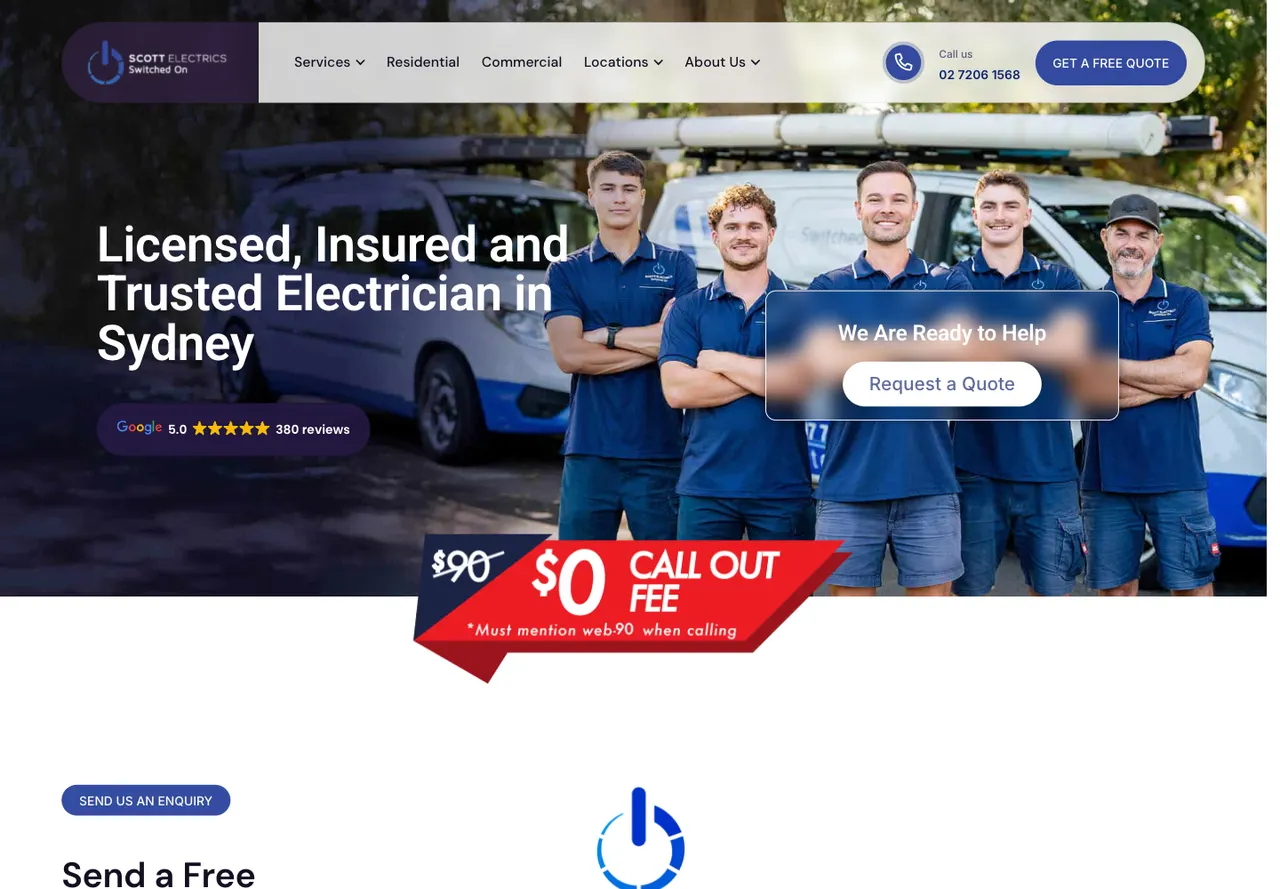
Scott's first mobile screen gives a visitor both a phone control and a quote link. That is a useful starting point when some jobs can begin with a conversation while others need a written description. The quote route is visible without opening the navigation.1
Further down, the homepage names individual electrical services and shows recent projects. Its project titles describe the kind of job and location, including a strata lighting upgrade and a residential electrical upgrade. That gives a property owner something more concrete to compare with their own job than an uncaptioned grid of cables.
The pattern to use is a small project record: the property type, the problem and what you were engaged to do. A homeowner planning a switchboard change needs different information from a strata manager arranging common-area lighting. Put the relevant project beside the matching service rather than making each visitor read the entire portfolio.
There is also a performance lesson. Scott's run scored 38 with a largest contentful paint of 9.07 seconds. A visible quote control and a low lab performance score can exist on the same page. Keep both in your review; attractive content does not remove the need to investigate a slow loading element.
2. Response Electricians, Perth
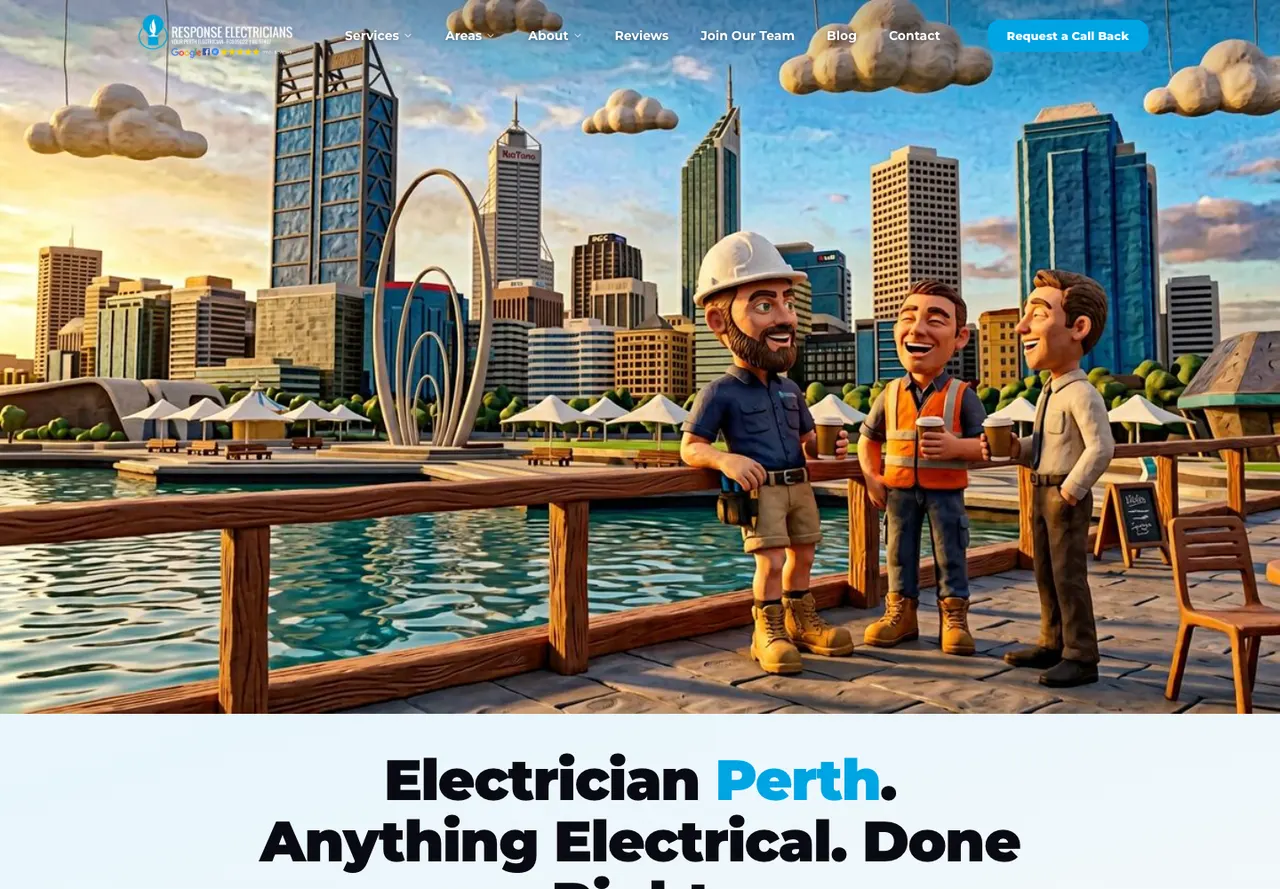
Response organises its homepage around people who buy electrical work. Homeowners and business owners have distinct links, with separate paths for residential property management, commercial property management and strata. Air conditioning has its own route too.2
This structure is useful when the same technical service means different things to different customers. A property manager may need access coordination and tenant communication explained. A homeowner may want to know whether the electrician handles a small repair. Use those differences to decide the page structure before creating a long alphabetical list of services.
The mobile opening offers a callback action, with telephone contact further down. If urgent calls matter to your business, put the number near the top as well so customers can reach it immediately.
The useful borrowing here is the customer grouping. Keep the labels recognisable and make the next page explain the work for that audience. Six audience links are only helpful when they lead to meaningfully different information.
3. Westline Electrical Services, Perth
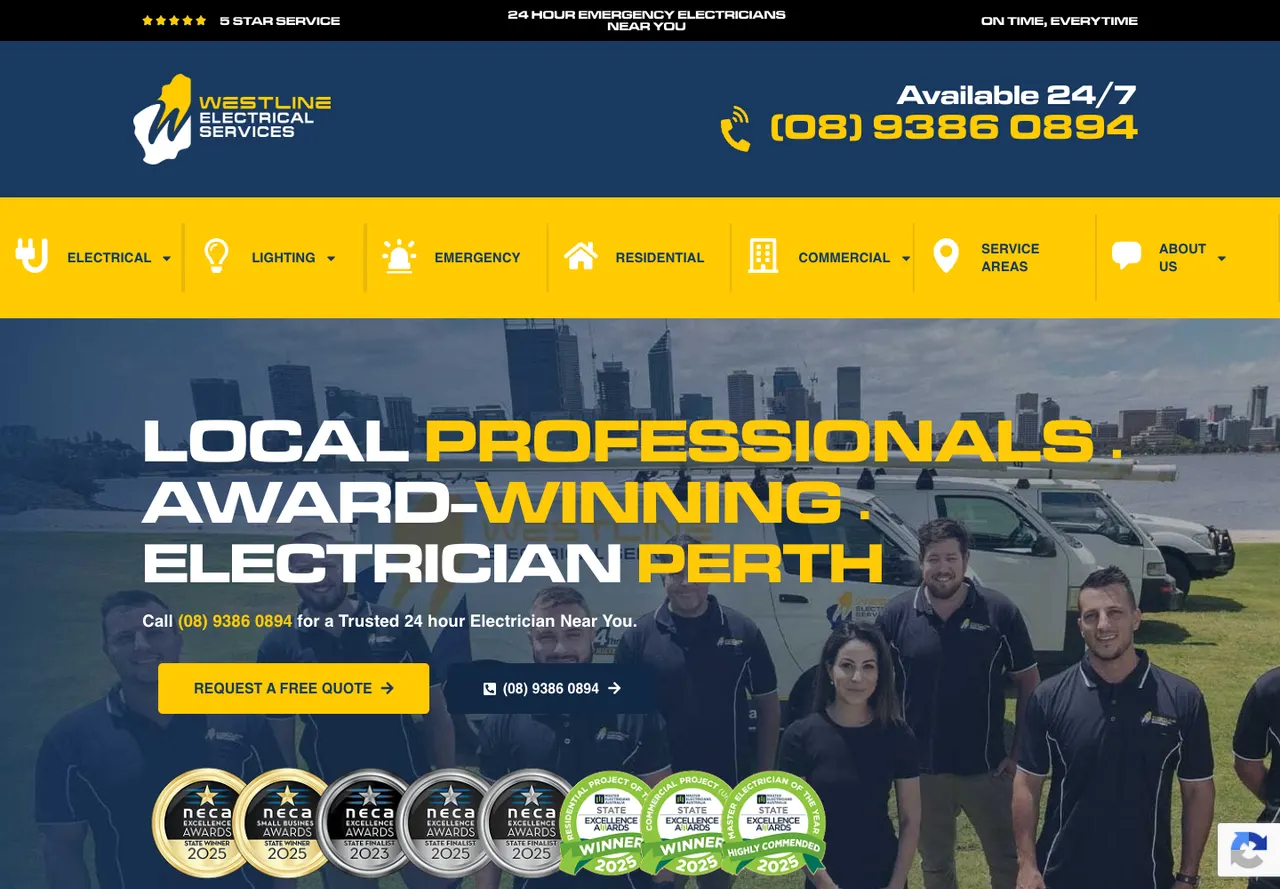
Westline keeps a telephone number and contact option in the mobile header. The opening also has a quote action. In our capture, two telephone links were visible on the first screen: one in the header and one in the opening content.3
The homepage contains separate service and service-area routes. A business with broad coverage can use that structure to answer both questions a visitor brings: whether you handle the job and whether you travel to the property. Keep coverage specific to where you work rather than listing suburbs solely to make the page longer.
Westline also publishes reviews and awards. On your own site, name the award and link to the review source so customers can see what sits behind a badge.
A fixed call control can remain useful as the visitor scrolls but it needs room. Check whether it covers form fields, the bottom of a photo or a mobile browser control. A control's position is a design choice to test, not a universal requirement for every electrical website.
4. Dyad Air & Electrical, North Brisbane
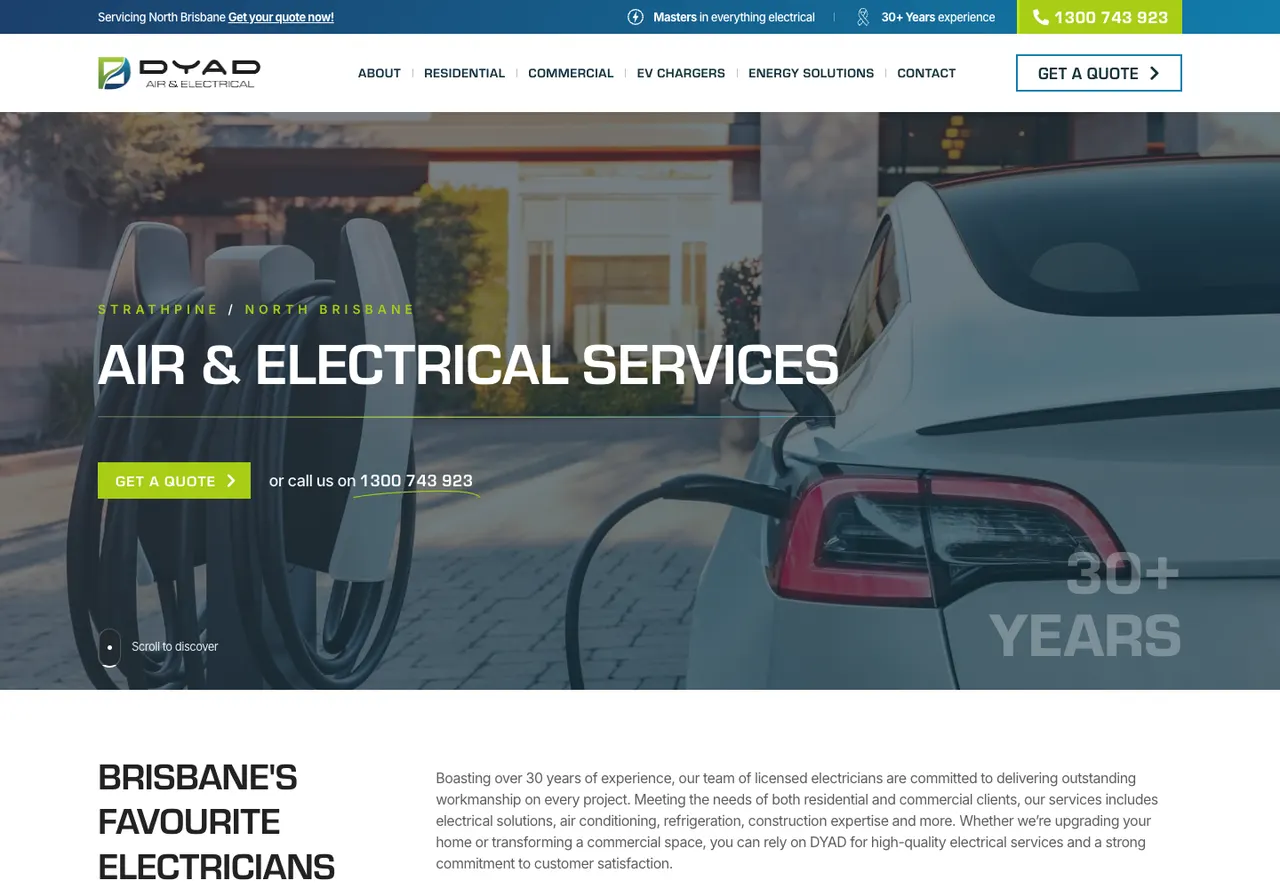
Dyad identifies Strathpine and North Brisbane in its opening and pairs a quote button with telephone contact. The first-screen test found a tappable telephone control in the header. The visible service structure gives EV charging and energy solutions their own place beside residential and commercial work.4
This is a useful example for a contractor whose specialist work deserves more than one bullet in a general services list. A visitor comparing an EV charger installation needs to recognise that the service is offered before deciding whether to ask about their property.
Keep the specialist page factual. Explain the information you need to assess the job, the properties you work on and how a quote begins. Do not publish a universal installation price if the electrical supply, access and equipment change the scope.
Dyad's service choices are worth studying independently of the visual style. You can use clear service names and local coverage in an original design with your own work photographs. Copying another contractor's imagery or sales claims would remove the business detail that makes the example useful.
What did our mobile checks show?
Three of the four sites showed a telephone link before scrolling. All four offered a quote or callback action, taking visitors to the enquiry form when they were ready.5
| Business | Telephone link in first screen | First-screen enquiry route | First-screen enquiry fields |
|---|---|---|---|
| Scott Electrics | Yes | Quote link | No |
| Response Electricians | No | Callback action | No |
| Westline Electrical Services | Yes | Quote action | No |
| Dyad Air & Electrical | Yes | Quote link | No |
You can see Scott and Response on mobile in our tradie website guide. Use the examples to decide where your phone number and quote button belong, then test both on your own phone.
How should urgent jobs and planned electrical work differ?
Give each visitor a next step that matches how you accept the work. If you answer urgent calls, make the number easy to find and state when that service operates. If a job needs plans or photographs, explain what to send with the initial enquiry.
Keep after-hours availability and any call-out conditions beside the urgent contact route. Use the contractor's actual terms. A callback request should not imply immediate attendance, and a planned-job quote should not imply that an appointment is confirmed.
For planned work, a useful first enquiry can ask for the suburb, job type and a short description. Add extra questions only when the answer helps you decide what happens next. Asking for a detailed budget or a full postal address may be appropriate for some scopes but should be a deliberate choice.
Keep commercial work understandable to its buyer. A facilities manager looking for scheduled maintenance should not need to read through a domestic emergency page to find the right contact route. A dedicated commercial page can explain the properties, work types and coordination you handle without claiming capabilities you do not have.
Write the confirmation message as carefully as the button. If the form requests a quote, describe whether the next step is a callback, a site visit or an email. Publish response times only when the business can support them.
What should you put on an electrician service page?
Use the page to answer a particular job question. The examples above show different ways to do that: named services, audience routes and project records.
For each main service, gather a real job photograph, an accurate description of the work and the areas you cover. Add the practical details customers ask before booking. For a switchboard service, that might mean how you assess an existing installation and what information is useful before a visit. Leave the technical diagnosis to the qualified electrician.
Include the business identity and relevant licence details supplied by the contractor. Keep credentials current and use the exact credential name. A generic safety badge should not imply a qualification or accreditation the business does not hold.
Link from the service page to a related completed job where you have permission to show it. Then give the visitor a contact action suitable for that job. The route from service to example to enquiry is more useful than several pages that repeat the same general introduction.
Kavera note: Our electrician website service page separates domestic and commercial needs. This review adds a practical reason for that choice: Response's audience routes and Dyad's specialist services answer different buying questions despite both businesses offering electrical work.
How can you use these examples in a website brief?
Select the decisions you want to reproduce in your own words. For example: a phone number visible at the top, a commercial service page and three named project stories. That is a useful brief. A request to make the website look like another electrician's page leaves the business questions unanswered.
Use this order for a first review:
- Open the site on a phone and identify the service and location without using the menu.
- Find the contact route for an urgent call and a planned job.
- Follow one important service to a relevant example or clear scope description.
- Check whether the enquiry action explains the next step.
- Run a speed check and investigate the slow elements it identifies.
Our website design for electricians covers the build scope. For ideas across other trades, the tradie website examples compare different kinds of work without assuming every customer should follow an emergency-call journey.
Use the website copywriting brief to gather the service scope, exclusions and next step before writing those pages.
How were these electrician websites tested?
We reviewed the public homepages on desktop and mobile on 9 October 2026, looking at service information, project examples and contact options. We did not place calls or submit enquiries.5
Contact checks used a 390 × 844 mobile screen; the images above show desktop views. A first-screen telephone link had to be visible before scrolling and an enquiry field had to be an actual form field.
Each speed score comes from one mobile Lighthouse test with simulated mobile throttling. The loading time called LCP measures when the largest image or text block appears. Results vary between tests, including the separate runs in our tradie guide. They help identify loading problems but do not measure enquiry results.6
Common questions
What should an electrician website include?
An electrician website should identify the services and area covered, show accurate business and licence details and provide a suitable contact route. Add relevant job examples and clear service descriptions. Test the opening on a phone so a visitor can find the number or enquiry action without relying on a desktop menu.
Does an electrician website need an online quote form?
A quote form can help collect planned work when the electrician cannot answer a call immediately. Ask for the information needed to assess the next step, such as the suburb and job type. Keep a telephone route where the business takes calls and explain whether the form begins a callback, assessment or written quote.
Should domestic and commercial electrical services have separate pages?
Separate pages can help when the customers need different information. A homeowner may want help with a small repair while a facilities manager needs to understand scheduled maintenance or project coordination. Write each page around the actual work and audience rather than repeating one general electrical-services description under different headings.
Does a high mobile performance score mean a website gets more jobs?
A Lighthouse score describes the page under a particular set of lab conditions. It does not count telephone calls, received enquiries or booked jobs. Use it to investigate loading problems alongside checks of service clarity and contact routes. Business results need separate measurement from the enquiry systems and the people responding to customers.
Sources
- Scott Electrics public homepage, inspected 9 October 2026Scott Electrics. Accessed .
- Response Electricians public homepage, inspected 9 October 2026Response Electricians. Accessed .
- Westline Electrical Services public homepage, inspected 9 October 2026Westline Electrical Services. Accessed .
- Dyad Air & Electrical public homepage, inspected 9 October 2026Dyad Air & Electrical. Accessed .
- Kavera mobile website checks and screenshots, 9 October 2026; method explained in this guideKavera Digital. Accessed .
- Lighthouse performance scoring and test variabilityChrome for Developers. Accessed .

Arthur Syrios
About ArthurLet’s talk.
Tell us what your business needs and we will point you to the right option.
Website design for electricians